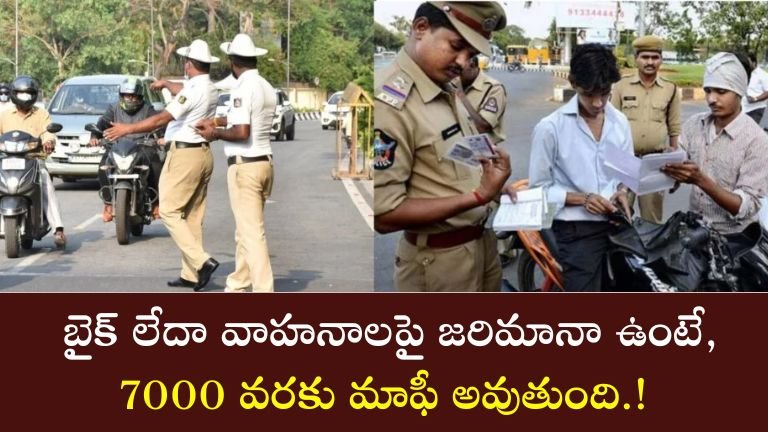
Vehicle Traffic Fine Waiver : Complete 2025 Guide to Check and Pay Bike Fines Online
With increasing road traffic and stricter enforcement of laws under the Motor Vehicles Act, thousands of bike and scooter owners across India receive traffic challans every month. These challans are usually issued for violations such as overspeeding, wrong parking, riding without insurance, expired RC, triple riding, signal jumping, or not wearing a helmet.
Many people ignore these fines due to lack of awareness, but this can lead to serious complications later. Today, almost every Indian state has made it easy for riders to check and pay fines online, directly from their mobile or computer. This guide explains why it is important to check your vehicle fine immediately, what information you need, and detailed state-wise methods for checking and paying traffic penalties.
Why Should You Check Your Fine Immediately?
Ignoring a traffic challan can cause more problems than people realize. Here are the common issues:
-
Higher Penalty Due to Late Fees: The delay in paying fines may result in an increased amount.
-
RC Renewal Block: If you try to renew or transfer your RC, the system may prevent it due to unpaid challans.
-
Insurance Renewal Issues: Insurance companies may refuse renewal if challans are pending.
-
Court Notice or Legal Action: In some cases, traffic police may send a court notice or a penalty warning.
-
Licence Suspension: Repeated violations can lead to suspension of the driving licence.
Regularly checking your fine ensures that you stay compliant with the law and avoid unnecessary stress, time loss, and money waste.
Information Required to Check Bike Fine Online
You need only a few basic details to check your challan:
-
Vehicle Registration Number (Example: TS -03 XY 4567)
-
State of Registration
-
In some states:
-
Last 4 digits of Chassis Number
-
Last 4 digits of Engine Number
-
-
Mobile phone or computer with internet access
Once you enter your vehicle number, most portals automatically fetch the challan details.
Major Websites & Apps for Traffic Fine Checking
Traffic fines in India can be checked through both central government portals and state-specific websites.
1) Parivahan e-Challan (Central Government)
The Parivahan portal covers challans of most states. It is the official platform of the Ministry of Road Transport and Highways, showing complete challan details along with photograph evidence (if available).
2) mParivahan Mobile App
A government-approved app available for Android and iOS. It displays:
-
RC details
-
DL details
-
Pending challans
-
Documents in digital format
3) State-Wise e-Challan Portals
Every state has its own transport or police department portal, including:
-
Karnataka – Transport Department e-Challan
-
Telangana – TS Police e-Challan
-
Andhra Pradesh – AP Transport
-
Tamil Nadu – TN Road Safety
-
Maharashtra – State Traffic Police Portal
General Method to Check Fines Online
The process is almost the same across India:
-
Visit the official Traffic Police / Transport Department website
-
Click on e-Challan / Fine Check
-
Select Two-Wheeler
-
Enter Vehicle Number
-
Click Search
-
View the list of pending challans
-
Click Pay Now
-
Download the payment receipt
State-Wise Fine Checking Process
Karnataka – e-Challan
-
Search “Karnataka e-Challan”
-
Click Check Challan
-
Enter the bike number
-
View pending fines
-
Pay using UPI/Card
-
Download receipt
Telangana – TS Police e-Challan
-
Open the TS Police e-Challan Portal
-
Enter vehicle number
-
Fill the captcha
-
Click Search
-
Pay the fine online
Andhra Pradesh – AP e-Challan
-
Go to AP Transport website
-
Enter vehicle registration number
-
View challan list
-
Pay the fine via online gateway
Tamil Nadu – Traffic Fine Payment
-
Visit TN Road Safety / Transport website
-
Choose Pay Traffic Fine
-
Enter vehicle number
-
Pay the fine instantly
Maharashtra – Traffic e-Challan
-
Open Maharashtra Traffic Police portal
-
Enter the bike registration number
-
Check pending fines
-
Pay online and save receipt
How to Pay Traffic Fines Online
After viewing the challan:
-
Click Pay Online
-
Choose UPI, Credit/Debit Card, or Net Banking
-
Complete payment
-
Note the Transaction ID
-
Ensure status changes from Pending to Paid
Always keep a screenshot or digital copy of the receipt.

Best Practices to Avoid Penalties
-
Check the challan status monthly
-
Clear fines before RC / Insurance renewal
-
Use the dispute option if the challan is incorrect
-
Save all receipts digitally
-
Avoid fake websites; use only official portals/apps
Frequently Asked Questions (FAQs)
1. My bike is from another state. Where should I check fines?
Always check on the portal of the state where your vehicle is registered.
2. Why did I receive a challan even when I wasn’t driving?
Many challans come from CCTV cameras based on number plates. You can raise a dispute if it is wrong.
3. Can I pay very old challans now?
Yes, but late fees may be added.
4. Are mobile apps safe for challan checking?
Yes, government apps like mParivahan are completely safe.